FYI the location function appears to be broken.
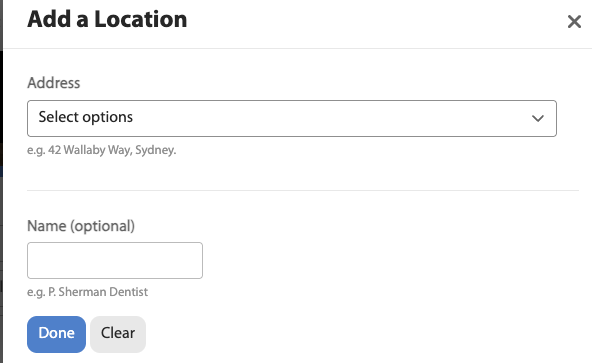
So, maybe this is a better home for my question. Is there any point to the online/offline profile setting toggle?
Because there doesn’t seem to be any difference in appearance, at least to other users.
That seems to be an issue introduced with the latest update. May have to roll back the software version to avoid that. Let me do some testing.
1 Like
No point. 
@shrinkrap If you’re on a mac, Fn + E should pop up the emoji menu.
I am not, but thank you. I use a Pixel phone and Pixel tablet most times, and occasionally a Surface or Surface Go.
Lots of options on the Pixel tablet


1 Like
Location function fixed by updating to the latest version of the forum software. So there may be some minor differences in the forum software functionality compared to the previous version.
Thanks!
Have the photo upload parameters been changed? Uploads have been slow and I got this message trying to upload a jpeg, I tried again with a jpeg I successfully uploaded previously and get the same message. FWIW this picture is a 40mp jpeg (7781x5152) which is the native image size of the camera I used to take it.
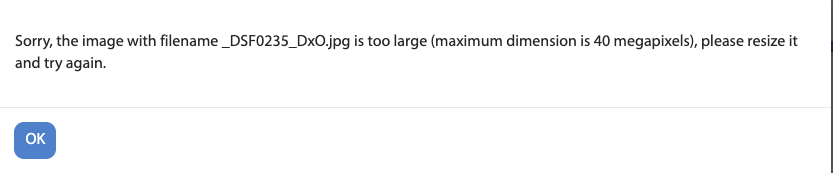
Not from us. But I did notice a setting Max image megapixels which was set to 40MP. Your photo was 40.09MP which might be why the software had issues. I changed it to 50MP. Try again.
Thanks! I just tried to upload some photos, and the first three worked, but then I got a message saying the max photo size is 4mb? That is odd because the previous three images I uploaded are over that limit, which I don’t think existed before. I’ve definitely uploaded many images above 4mb, doesn’t the system resize them anyway?

Could it be that client side image resizing was disabled at some point? (don’t know if it was enabled before)
2 Likes
That’s my understanding, that 4mb is an internal limit relevant to the software only that above that the software will resize/ optimise the image to under 4mb.
Curious, how big are the images?
This particular file was over 10mb, maybe the limit is actually 10mb for the resizer? I just exported it again with a smaller size (still greater than 4mb) and it went through. I do think this is a new limit though as I have uploaded images larger than 10mb before, I’ve uploaded jpegs greater than 10mb for example in this thread:
and they were all resized without an error message
ETA: also this image I uploaded yesterday was originally 13mb
And here is the post with the 10mb image that failed before I resized. The uploaded file sizes seem a bit larger than normal? They’re all around 2mb vs under 1mb for the originally 13mb image I uploaded yesterday. Seems like the resizer isn’t resizing as much as before. Maybe the new resizer tried to resize my 10mb file and returned a result thats over 4mb? I noticed in the picture of the bento box uploaded before the update the resolution was resized by Discourse from 7781x5152 to 3840x2543, but in the images I just uploaded after the update the resolution was the same as the original (7781x5152), the new version doesn’t seem to be resizing like the old one.
The non-resizing may be a side effect of upping the 40mp limit to 50mp? I was able to upload the same resolution files (40.9 mp) before the update though and they didn’t have an error and were properly resized by the system, something must have changed with this release.
Old thread, but this may be helpful
curious what max_image_size_kb is (and client_max_body_size on nginx)
1 Like
Thanks for the info. This is helpful. What an odd day that I have to deal with client_max_body_size twice today.
it was not set, so it was supposed to default to 10MB. with that said, I don’t know why files larger than 10mb could be uploaded before. i just changed it to 20MB. give it a try again.
2 Likes
Thanks, I tried uploading the same file and it works now.
I have been unable to upload pictures using my iPad for the past week. Nothing happens when I click on the up arrow to upload pictures. This is very frustrating. I have to go to my iPhone to get to my photo library to upload pictures.
I would appreciate it if someone can look into this.
just upgraded to the latest software version. try selecting the category first. if it doesn’t work, give us some details to look into- OS, browser, versions.
also try on try.discourse.org and see if it is the same over there. we use their software. if it doesn’t work over there, it doesn’t work over here as well.
1 Like

